Workflow

2 minutesread

Workflow for the Surface Performance feature

  • Select Surfaces on the model in the Viewer.
  • Adjust the sliders to set values for each parameter (Surface U-value, Max. Heat Gain, Min. Daylighting)
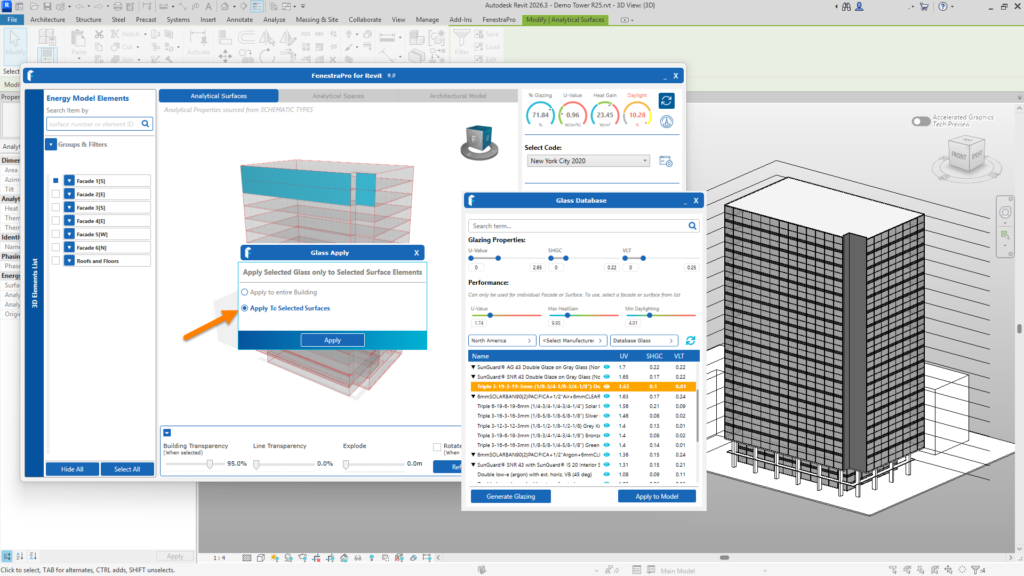
  • From the shortlist suggested, select a glass type that should achieve these targets
  • Apply this to the selected Surfaces
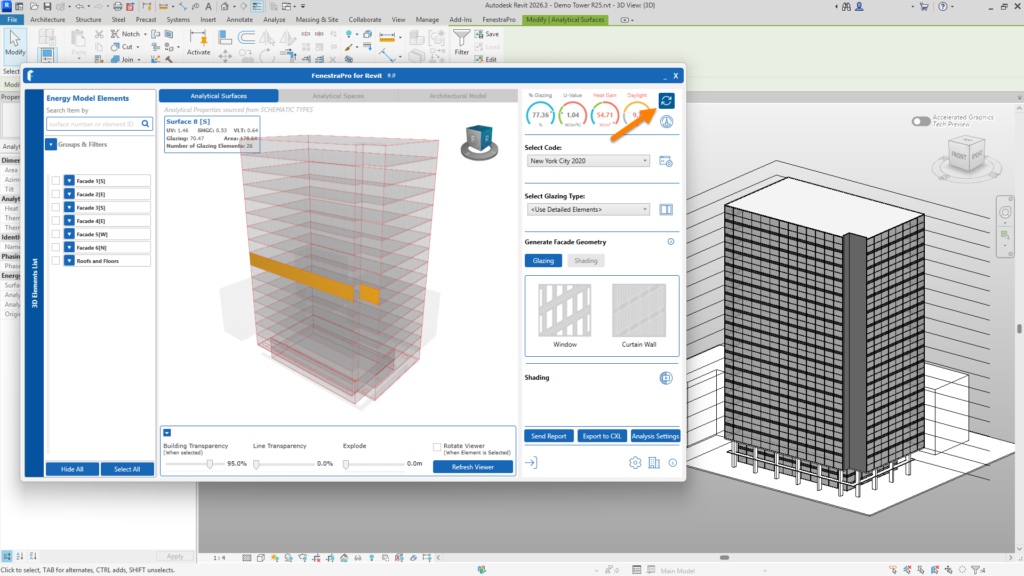
  • Refresh the application
  • Select the Surfaces again to get the new updated results
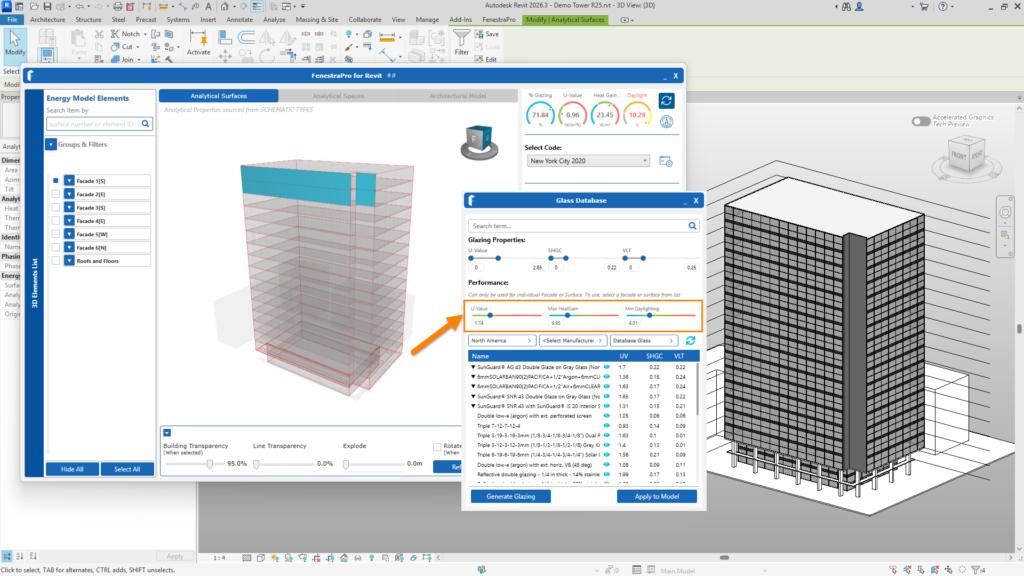
Adjust sliders to define target values
Select a glass type from the suggested list
Apply to the selected Surfaces
Refresh the application
Select the same Surfaces again to get the updated results


0
800
2 minutesread

Related Knowledge Base Posts

Submit

    Type your search string. Minimum 4 characters are required.

    Scroll to Top