
Freestanding detailed Revit objects are supported and they will cause a shading effect on the model and therefore reduce the results for both Heat Gain and Daylighting. Calculate Shading must be checked under Analysis Settings before results are recalculated. Note: If you have added new elements in Revit, you must complete the transaction in Revit before attempting to recalculate (if you are still in the edit mode in Revit, the application will not be able to calculate the model condition). This also applies to adding windows or curtain walls from the application, adding or editing shade devices etc. If you have any Revit settings windows open, these should also be closed (e.g. the Energy Settings or Type Properties window).
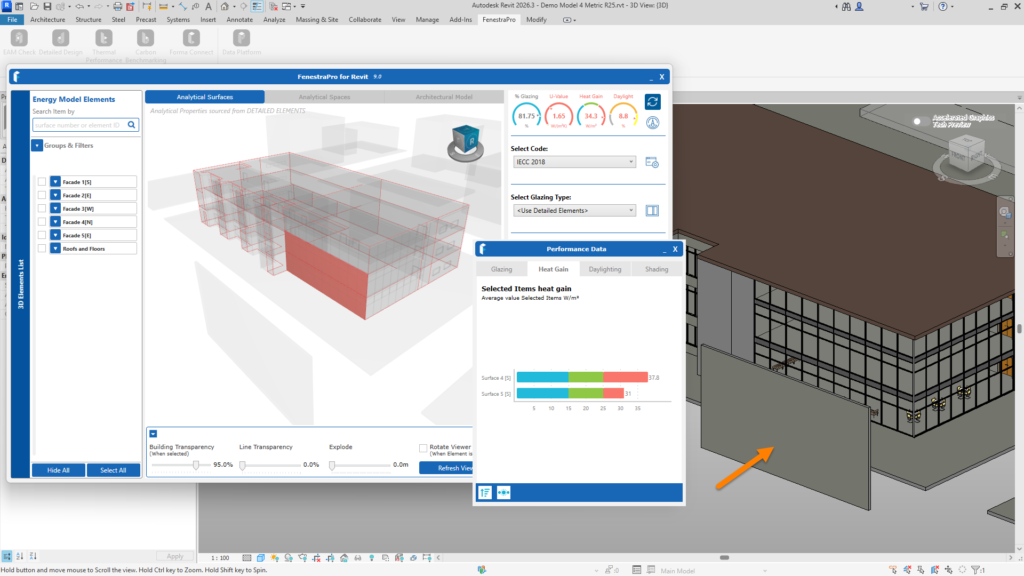
You can also check in the Shading Animation if the object casts shadows, if this is the case, the results will be affected. Some generic objects created in other modeling formats (eg. Rhino, Sketchup etc) typically do not create shadows and therefore do not affect results.


