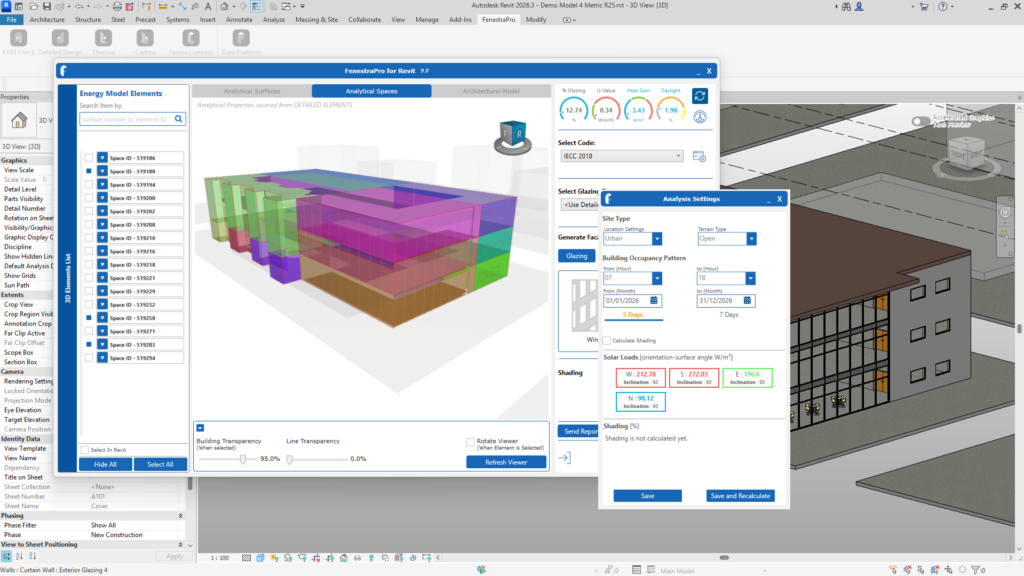
If you wish to adjust project settings, you may do so by opening this area Analysis Settings. Occupancy hours, dates for analysis and specific project conditions can be defined here. You may also check if you have included Shading in the calculations that, shading results have populated. If no shading values display, the shading settings may need to be adjusted. This is covered later under the Shading section here. Analysis Settings are covered here.