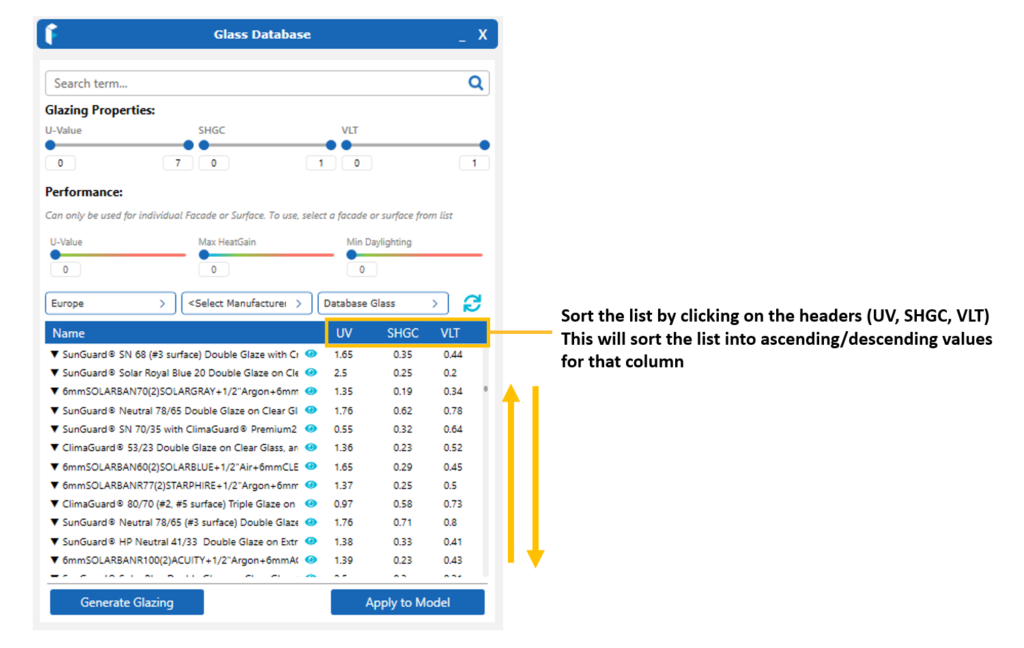
Once filtered, the list may also be sorted into ascending/descending values for each parameter. By clicking on the headers for each parameter (Name, U-value, SHGC, VLT). A small arrow will indicate beside the header to show that sorting has been applied. An arrow pointing up indicates ascending values (lowest values at the top, progresively higher values as you scroll down). An arrow pointing down indicates descending values (highest value at the top, progressively smaller values as you scroll down). This may be used for each heading/parameter. The list can only be sorted by one parameter however (not progressively).
You can also use the Name header to sort the list alphabetically or in reverse.