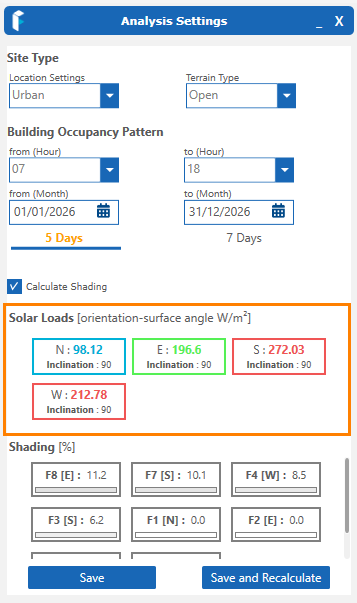
Once the above settings are established, click Save and Recalculate. This will draw data from the Meteonorm weather database for your project location and provide solar data for each orientation on a monthly and annual basis. When calculated, the Solar Data is displayed, color coded for each orientation on the model. The advisory ranges are that Blue is under heated, Green is considered acceptable and Red is overheated. The ranges used to determine this are listed above in this Section The surface angle of the Façade is also shown (inclined planes will be a value other than 90°).
To display solar results and for clarity in visual grouping, the following ranges are used but are not indicative of specific performance:
0 – 100 blue
100 – 200 green
200 + red