This button creates a HTML report that organizes all data for the model including Glazing Percentage, Solar Load, Daylighting and Shading for each Facade and Surface.
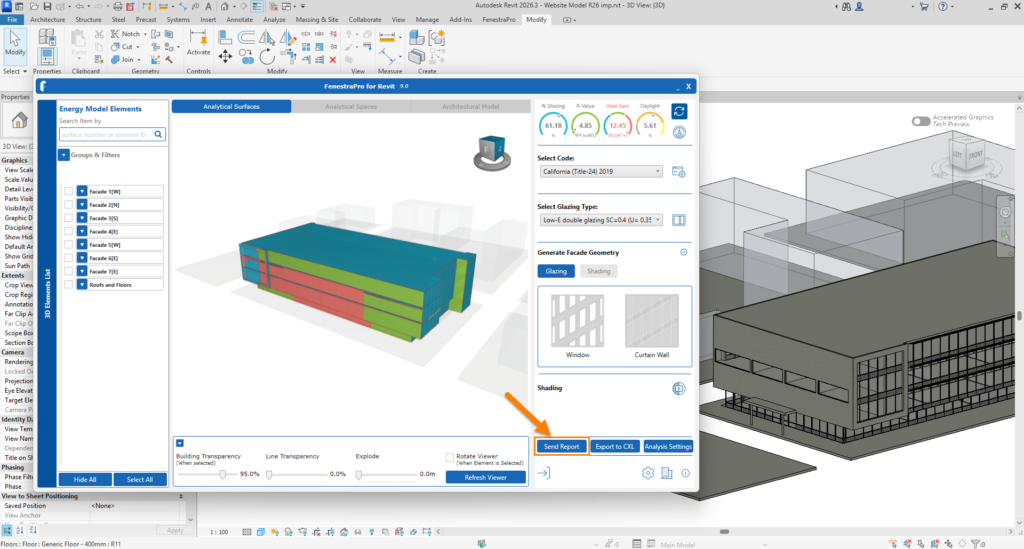
Note: Some project Information in Revit will need to be present if not already filled out (Project Issue Date, Status, Client Name, Project Address, Project Name, Project Number) for the report to be exported and to group reports for the same model. The Constructions.xml file in Revit also needs to have user permissions to read and write to this file (FenestraPro will automatically set these permissions when the application is installed. If you have any issues saving reports, this could be a reason – that settings/permissions for this file may have been changed if the file was swapped for another backup file or user permissions were subsequently modified etc).
A tutorial is provided below on Detailed Outputs (the first part includes a short piece on Shading Animations). This video relates to version 7.0.