
User preferences are provided to allow definitions to be set for certain options:
- Heat Gain ranges for Charts
- Daylight ranges for Charts
- Colors for Heat Gain and Daylight ranges
- Colors for the envelope renders and Shade devices
- Unit preferences (metric or imperial)
Note: These settings are part of your user preferences which apply to all projects.
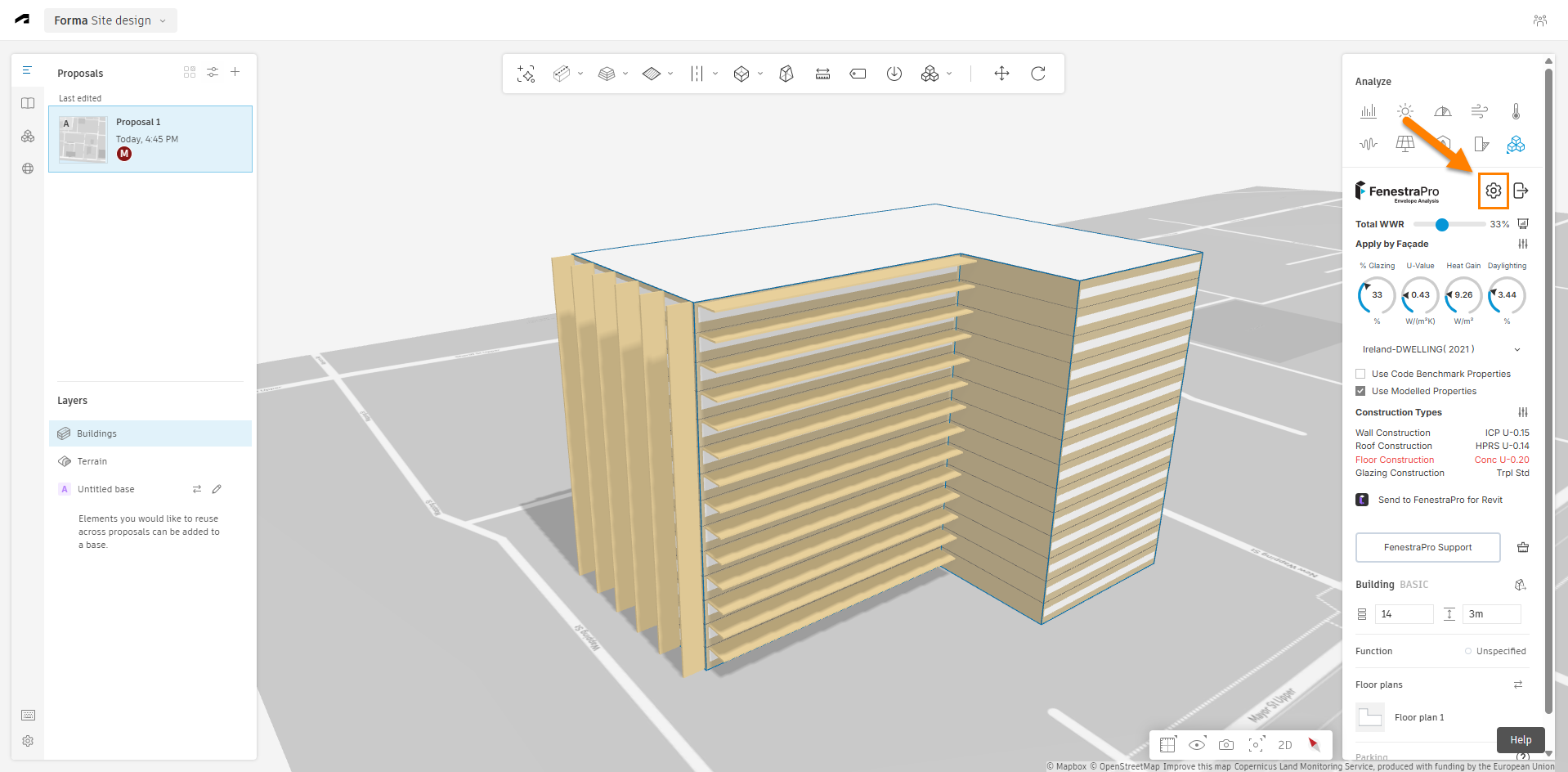
Settings may be accessed from the top of the extension panel in Forma as shown. This will open a window where options are available.
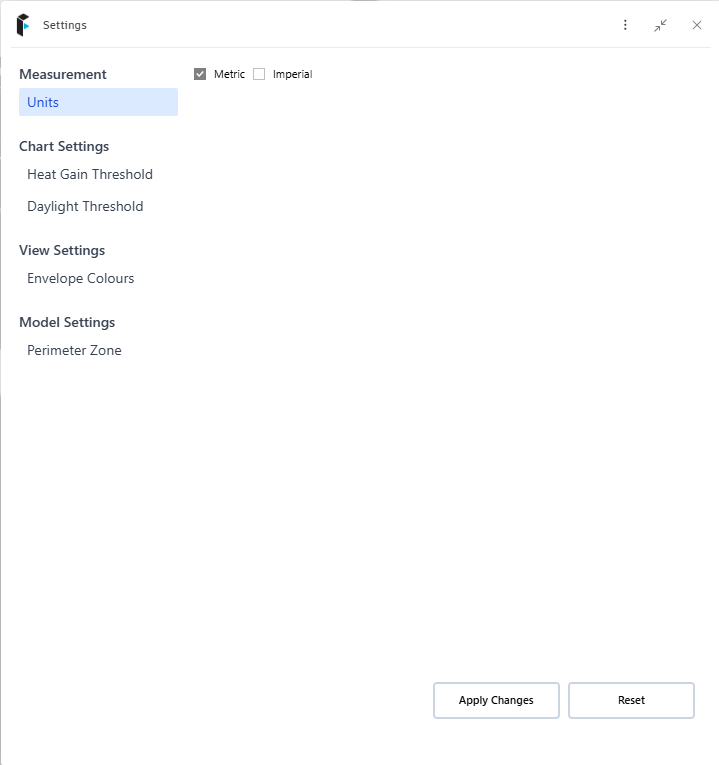
Options for user preferences include;
- Units for output results (metric or imperial) – these will display Chart results, Dial outputs, Construction Types, Shade depths etc in the selected units
- Heat Gain threshold values
- Daylight threshold values
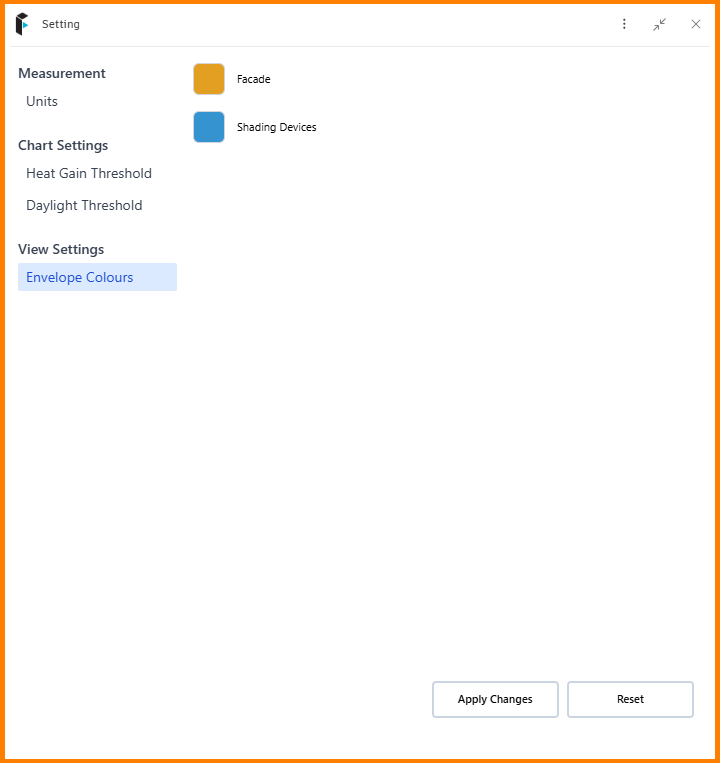
- Envelope colors (surface renders on the proposal & shade devices
- Perimeter Zone value
Heat Gain thresholds
You may define the lower and upper ranges for each category here (an optimum range and ranges each side which you wish to define as lower and higher).
You may also define the colors for each value if you wish, (for example; when Heat Gain is higher than the optimum/recommended, they will show as red). Once your inputs are complete, click on Apply Changes to use these ranges in the Chart displays.

Daylight thresholds
You may define the lower and upper ranges for each category here (an optimum range and ranges each side which you wish to define as lower and higher).
You may also define the colors for each value if you wish, (for example; when Daylight is higher than the optimum/recommended, they will show as yellow).

Envelope Colors
These may be defined by using recent options or use the color palette to pick a specific color. This applies to the surface colors that will be placed on the proposal and for shade devices.

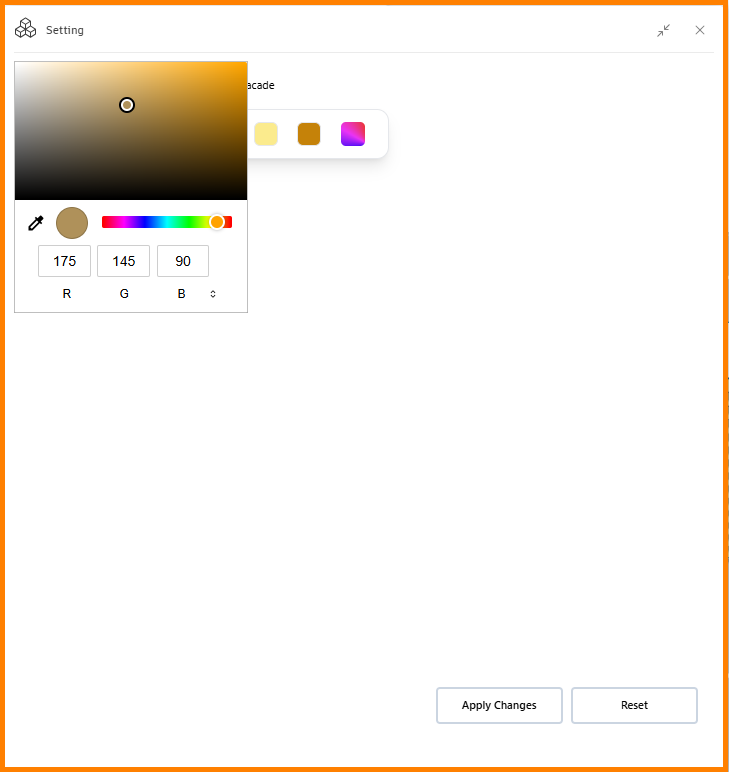

Once changes are made, please click on Apply Changes, then you may close this window.
Perimeter Zone
This value may be set for your project, which is the typical room/space depth in the model. This will define the perimeter zone behind the building envelope where results are calculated. Assuming that other factors have not changed (glazing properties, shading etc), higher perimeter zone values will typically mean lower results as Heat Gain and Daylight is dispersed over a larger area. Defining lower perimeter zone values for typical spaces will generally mean higher results as Heat Gain and Daylight is concentrated more in a smaller area.
If this setting is adjusted, you are advised to select your proposal again to recalculate the results.
Note: this setting is part of your user preferences which will apply to al projects. This can always be adjusted if you open another project.


