You may check or uncheck Calculate Shading. Including this calculation will take into account the effects of self-shading (areas of the building which shade other parts), shading effects from surrounding buildings and any obstacles/shading devices. If Calculate Shading is included, additional results for shading will display below the Solar Loads.
It will take longer to produce results on more complex buildings so if the project does not have significant shading factors (no surrounding buildings modelled, no self-shading or shading devices, you may wish to calculate without the shading option for a faster result. Note: You may close Analysis Settings after the results have completed.

Note: Please wait for these calculations to complete before using the application. If modifications have been made to the Revit model, a new energy model will be required (recalculating results in Analysis Settings will use the last energy model which was created. If this is out of date and been superseded, a new energy model should first be created. This may be required if the model geometry has been modified, glazing elements have been added, deleted or modified by size or family type, shading devices have been added/removed, surrounding objects have been added/deleted/modified etc. Revit’s Energy Model will identify analytical surfaces, internal and external spaces and element types in the project. This information is used in the application, therefore a current energy model is important to generate results.
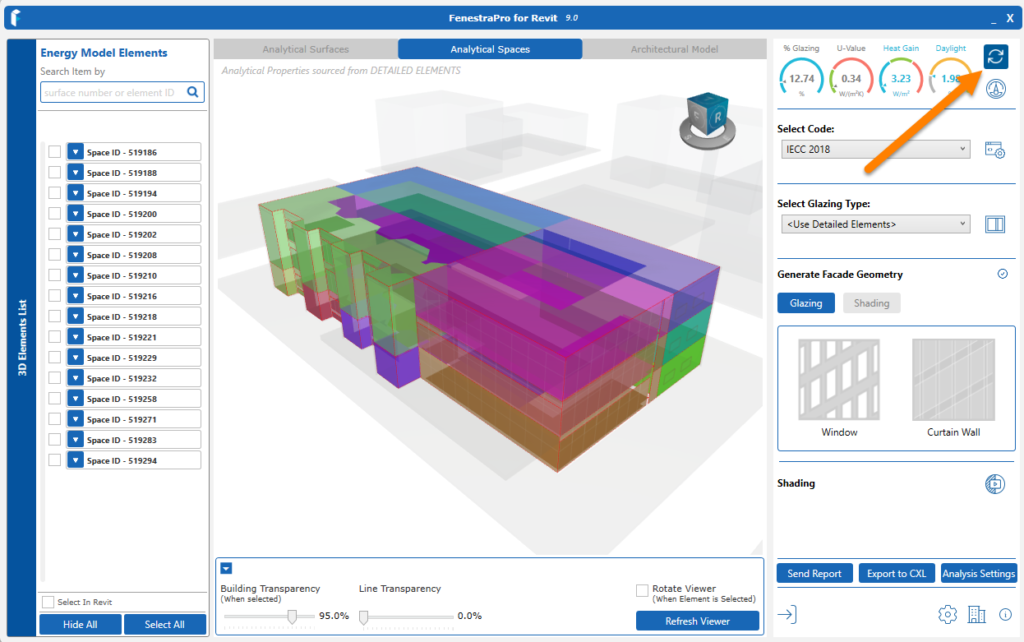
This can be done by using Refresh on the application dashboard or by closing and relaunching the application. An energy model can also manually be created in Revit by going to Analyze – ‘Create Energy Model’.