
Any shade family may be used to create shading effects on glazing and consequently on the Heat Gain in rooms/spaces. FenestraPro can also provide a simple horizontal shading device family if required which may be inserted into the Revit model and adjusted for width and height. The effects of this device on Solar Loads and Daylighting can be seen in the results when it is used over windows or curtain panels.
It is best to close FenestraPro to add any new geometry to the Revit model and then relaunch and recalculate with the Calculate Shading setting on.
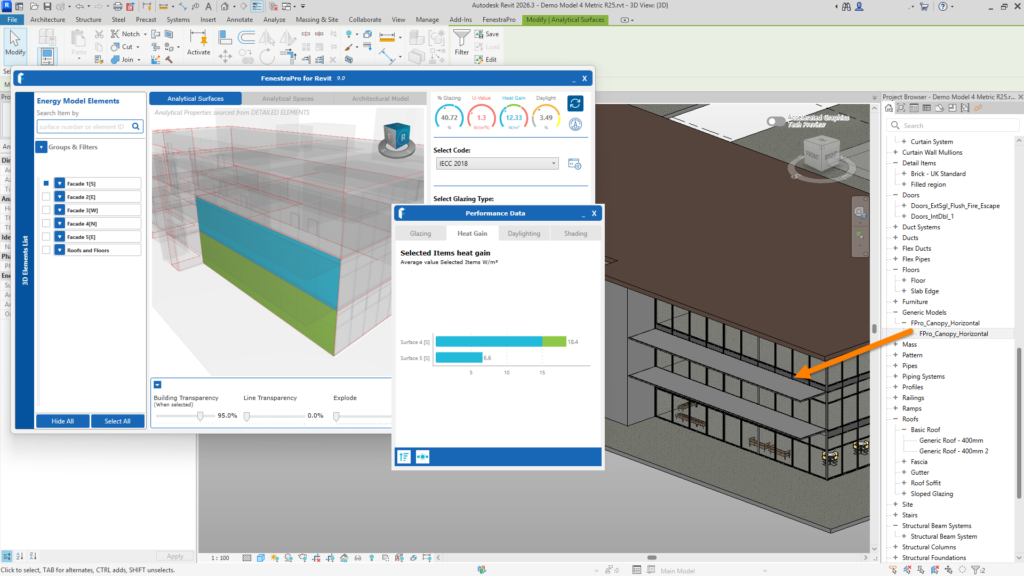
Detailed shade device added in Revit – this will reduce the results for Heat Gain and Daylighting
Where this canopy device is added to the model it should be positioned on the uppermost Surface of any wall (over the upper windows) since all the windows/ curtain walls below will also be shaded by this device. A FenestraPro sample shading device family suitable for use in a detailed Revit model is available for testing by downloading the sample detailed model here.
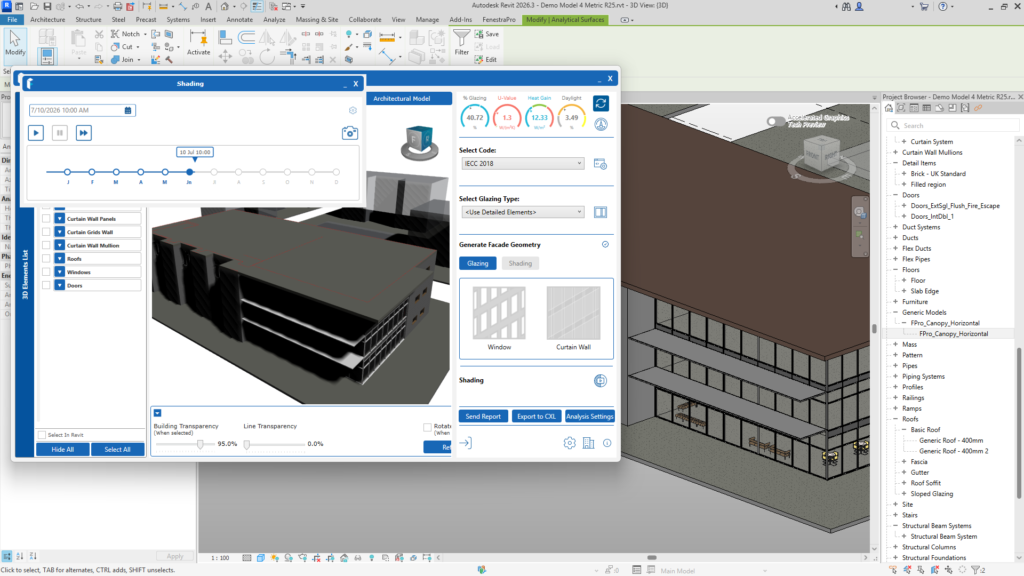
The Shading Animation viewer will also display the shading effect of any feature on the model and any surrounding features.
Note: Extruded mullions are not currently supported and these will not reduce the results (extending a curtain wall mullion as a shading device). This is in development and will be addressed in a future release.

