Building Occupancy Pattern can be reviewed and adjusted if required, i.e. the times which the building will be occupied on a daily, weekly, and monthly basis. Occupancy Hours may always be overridden and modified using the input fields provided.

Building Occupancy Pattern
This section provides an opportunity to set the Hours, Days and Months that the building will be in use. The Hours of use may be set from morning to evening using a 24 hour clock. The Months may be chosen from the calendar provided. The number of Days may be toggled between 5 days or 7 Days.
It is possible to analyse a certain time frame such as one week in a month or to even analyze one day (eg. June 21st Summer Solstice). This information will affect the Solar calculations as the average value for that time period will be displayed.
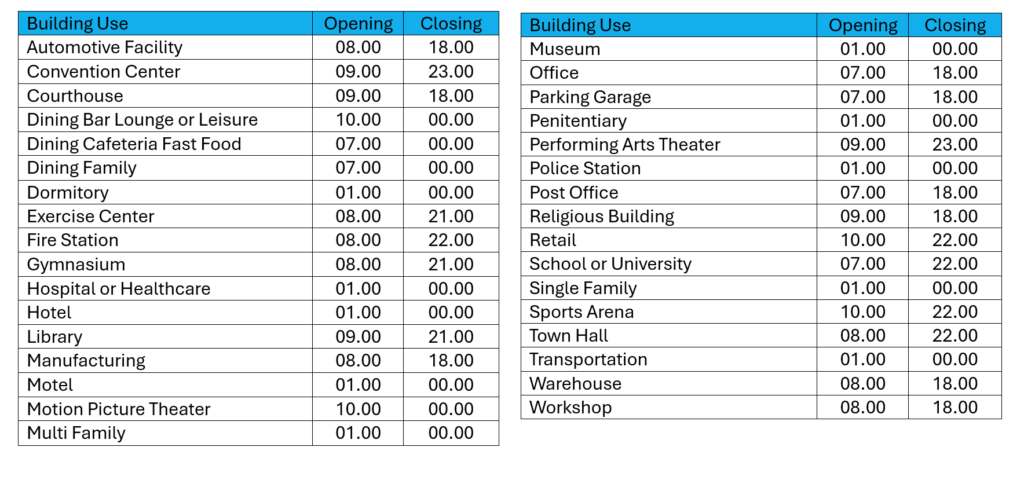
Autodesk suggest the following times for different building uses.