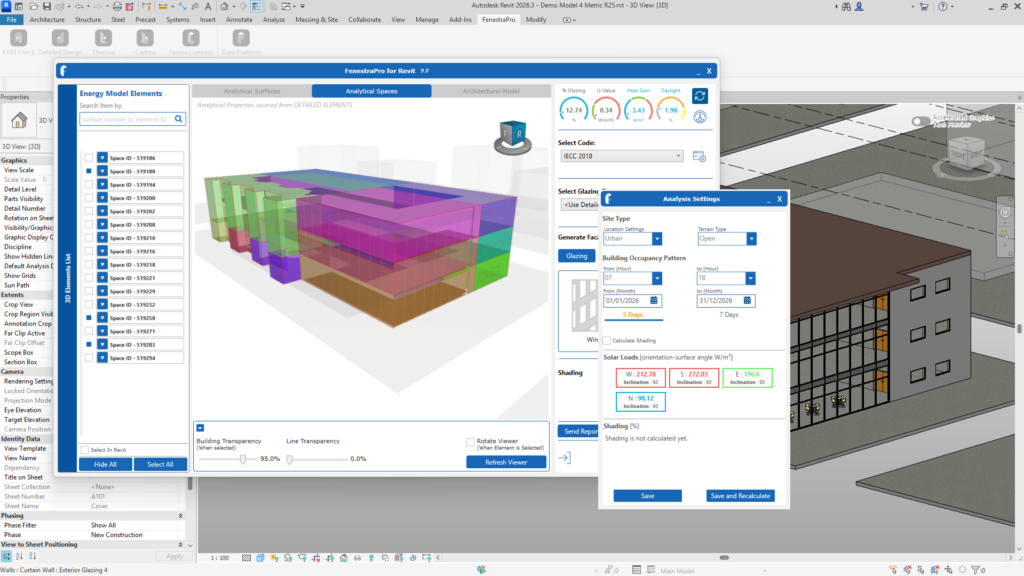
The Analysis Settings area is where project settings/conditions may be defined (occupancy hours, site type etc) and results can be recalculated.
Please check that the settings in the here are suitable for your project as these settings will affect climate data, solar and daylight calculations. These settings allow you to adjust occupancy data, terrain type, building use, location etc. These will affect solar and daylight calculations.
This will be explained in more detail the following sections.
Note: If you have just calculated results using one option (with shading or without shading) or with certain settings, and results then display, you can change the settings to turn on/off shading and calculate results again.
If any changes are made to the model (glass type is changed, shades or windows are added/deleted etc, recalculation here will not factor in these changes (it will only get solar loads for the previous model condition). The Refresh button on the Dashboard should always be used to generate a new energy model and update the results.
If there are significant shading effects in the project, leave the Calculate Shading setting on before getting results. This will include the most shaded areas on the model. You may also check shadows in the Shading Animation Viewer later if shadows are displaying. Elements which cause shadows will typically reduce the results.