
Select an Energy Code
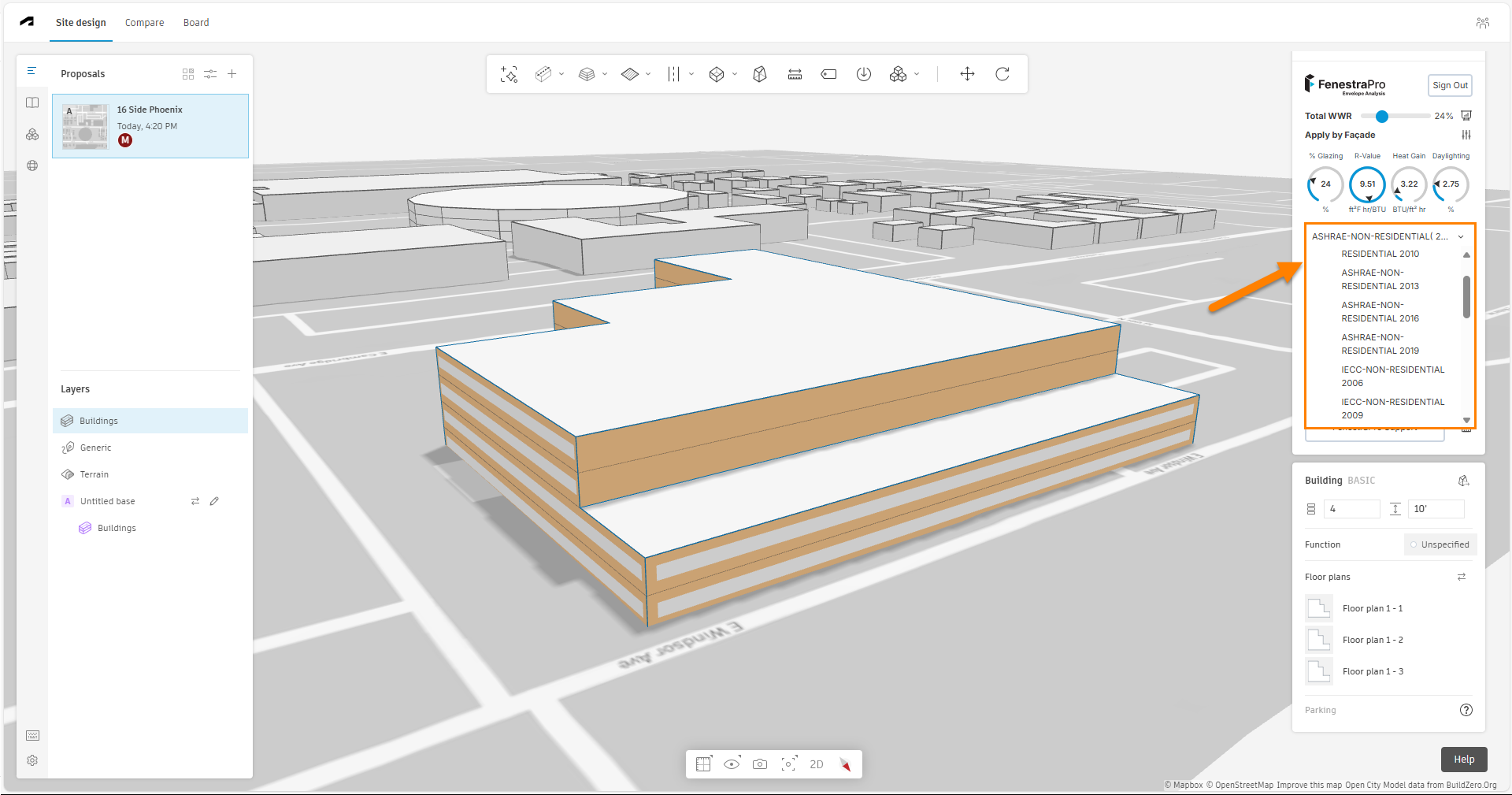
From the dropdown list, select an Energy Code for use with your project.
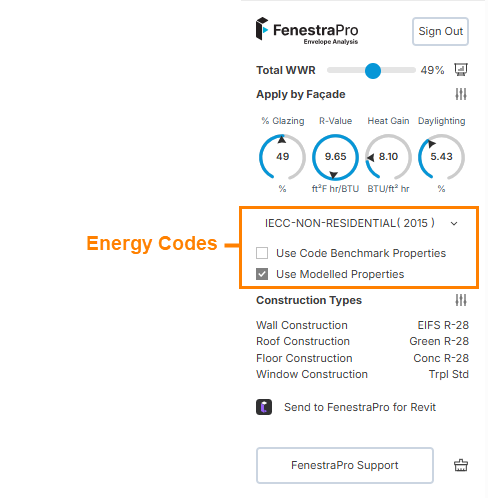
For some regions where regional Codes are not yet supported, only a default FenestraPro Code will display. For other regions, you may see a list of options from which to choose. Note: Code values in metric units will be used for compliance checking if the model site location is in regions which use metric units (Europe, Canada, Australia, Asia, Africa, South America) and imperial code values will be used for model locations in the USA.
Code Options
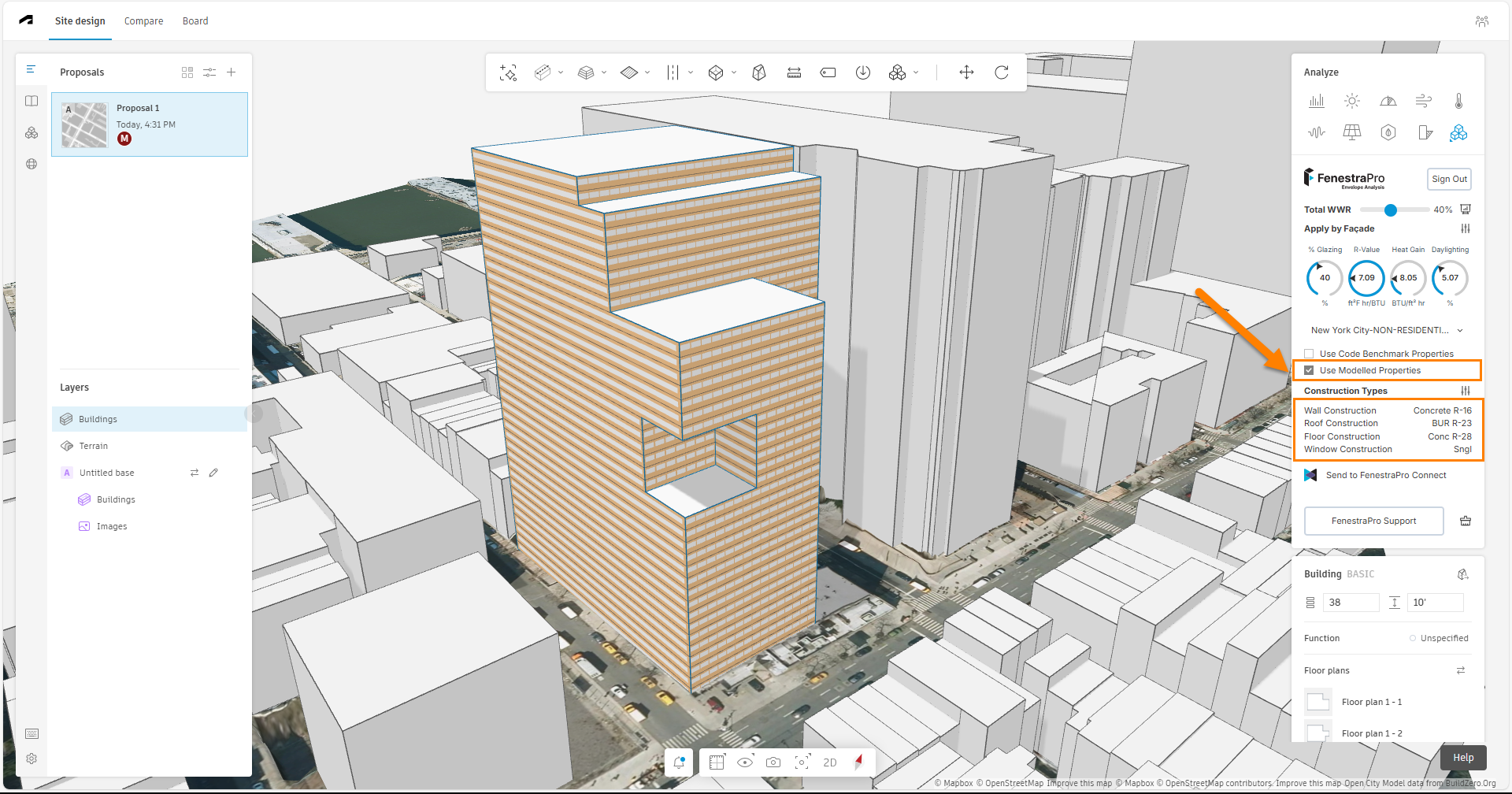
The default setting is that the default Construction Type properties from the model will be used (the ‘Use Modelled Properties‘ option is initially checked). Non-Compliance with the selected Energy Code will then be indicated by red font for that element type. Note: Changing the Code will not have any effect on the results if the ‘Use Modelled Properties‘ option is checked since only compliance is checked. Note: The ability to access Construction Types is only available when this setting is checked. The selected Code will be remembered if you exit from a project or refresh and relaunch this project later, only if you have the ‘Use Code Benchmark Properties‘ setting checked. If you had ‘Use Modelled Properties‘ selected in a previous session, please choose your selected Code again if you reload a project.
Note: If you find that you are not getting Code options in the dropdown list, please refresh your browser and try again. Most US States, the UK, Canada, Australia and Ireland are currently supported. We can also add a Code on your request. Please see this page for more details.
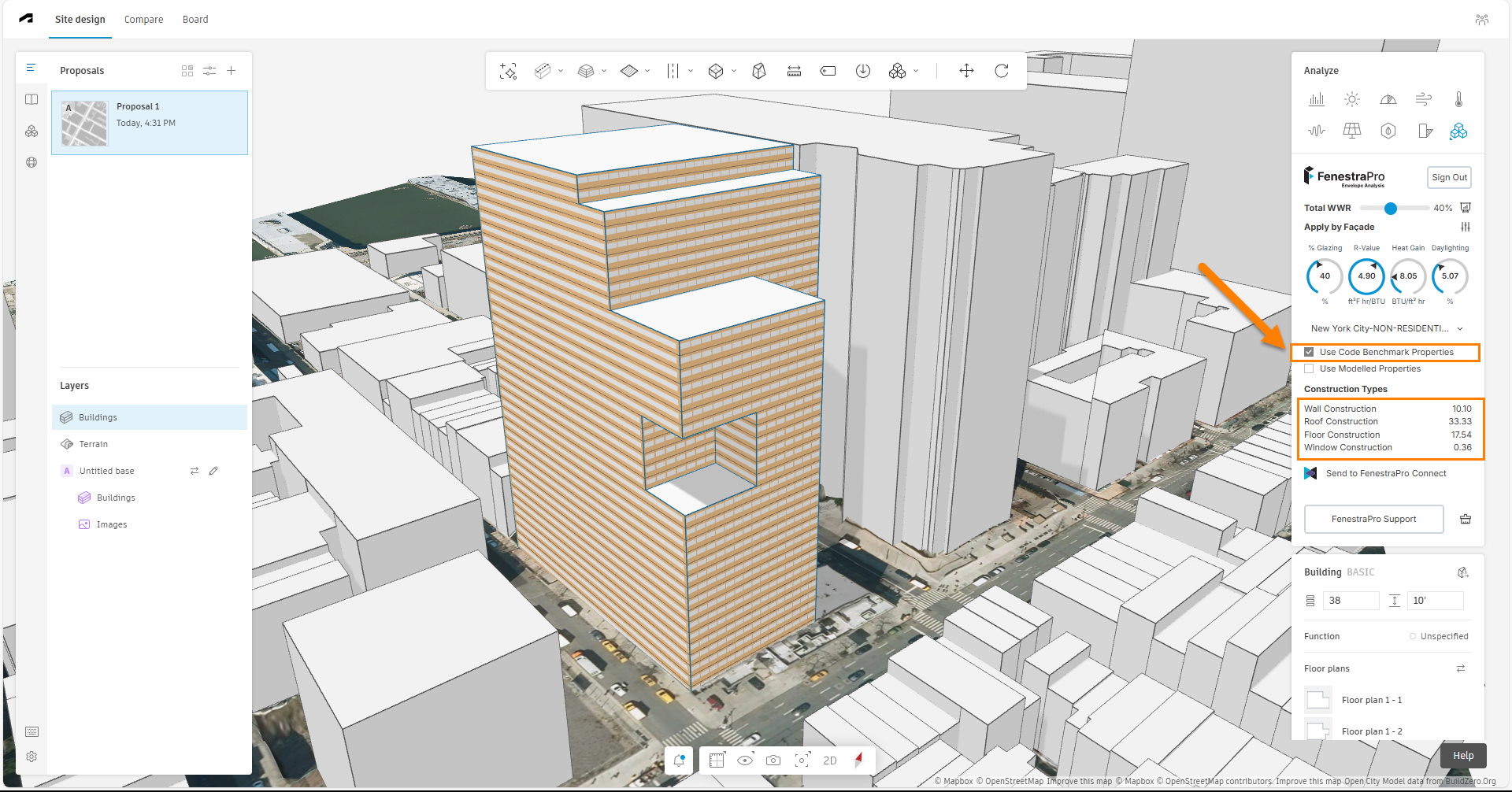
You may also choose to use ‘Use Code Benchmark Properties‘. This option may be activated by checking the box beside this setting and will assume that model elements will have thermal properties that comply with the selected Code. The target values recommended by the selected Energy Code are then displayed in the Construction Types list and are used to calculate the overall R-value/U-value in the results dial (the selected glass along with the recommended wall performance from the Code are used to calculate the result).Please Note: By changing from ‘Use Code Benchmark Properties’ to ‘Use Modelled Properties’, the results for Heat Gain and Daylight will not change in the dials since Energy Code recommendations do not include SHGC or VLT for glass (only the U-value/R-value is typically specified in the Energy Code).
Note: If you are using the ‘Use Modelled Properties‘ option, and you close and later reopen the same project, the Code selected will not be currently saved so you will need to reset this again. The selected Code is saved for the next session if you use the ‘Use Code Benchmark Properties’ setting.
A default FenestraPro Energy Code is currently used for regions where actual Energy Codes are not yet in our database (these are typically countries that use metric units).
U-values used to calculate the results are as follows:
Wall 0.26 metric u-value
Floor 0.18 metric u-value
Roof 0.18 metric u-value
Glazing 1.6 metric u-value / SHGC 0.39 / VLT 0.59
This default Code is used when no other energy standard can be found for the site location.
The default performance values of model elements are assumed to be:
Wall = 0.28 u-value, Floor = 0.25 u-value, Roof = 0.25, Glazing = 1.8 u-value (metric values) (0.73 SHGC)
Wall = 20.29 R-value, Floor = 22.73 R-value, Roof = 22.73 R-value, Glazing = 0.32 U-value (imperial values)
Note: The Construction Types in Forma do not display when you open the FenestraPro extension until the model proposal is selected. The Code checkbox must also be set to ‘Use Modelled Properties‘ to access the Construction Types panel to change the definitions.
Note: Our Code Database is being improved to support more regions. Code values will be calculated from metric values for regions which use metric units (metric U-values for all elements) and imperial units for USA locations (imperial R-values for roof/floors and walls) and imperial U-values for glazing.
You can review our current regional Energy Codes or request a new Code be added on this page HERE

